Night Petrol Pump Chatgpt AI Photo Prompt 2026 | Viral Instagram Trend!
ADVERTISEMENT
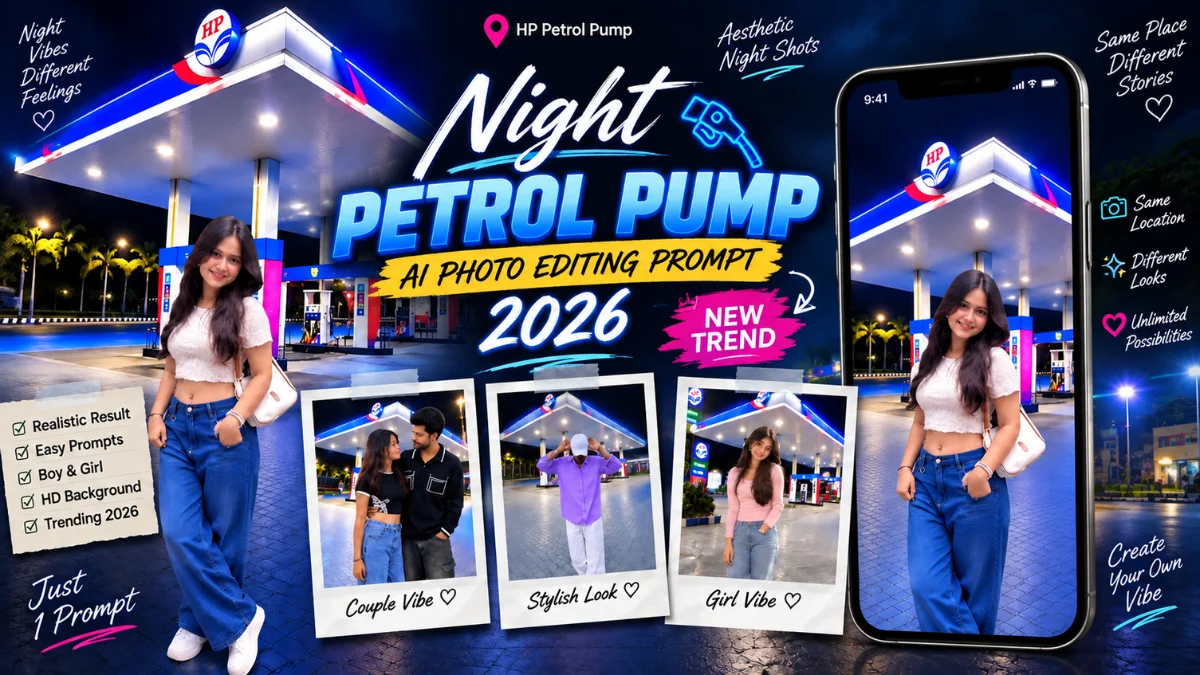
If you are active on Instagram reels or explore pages, you have likely come across the viral night petrol pump AI photo editing trend taking social media by storm. Creators are turning their simple daylight selfies into ultra-cinematic, high-aesthetic midnight photoshoots set against modern HP petrol stations with glowing neon canopies, vivid blue-red light reflections, and realistic asphalt pavement shadows. Instead of simply making random digital art, these specialized prompt setups strictly instruct ChatGPT (DALL-E 3) and Bing Image Creator to lock your facial identity, retain your natural skin texture, and seamlessly blend your real clothes with ambient nighttime petrol pump lighting. Today on vnqrcodes.in, we are sharing the complete step-by-step guide, exact background image download, and copy-paste prompts for both boys and girls to create this viral look in seconds.
The secret behind why this trend looks so hyper-realistic lies in the reference blending technique. By uploading your clear front-facing portrait alongside a high-resolution petrol station background image, the AI calculates true depth of field, natural light bounce on your hair and clothes, and realistic smartphone camera exposure. Below, you will find the original background image along with dedicated prompts crafted with strict identity-preservation rules.
Download HP Petrol Pump Background Image (HD Quality)
To achieve 100% realistic lighting and angle matching, you must use this exact HP petrol pump background photo along with your personal picture in ChatGPT.
See How Your Video Looks After Editing! 👇

📲 How to Save on Mobile: Tap and long press (click & hold) on the petrol pump image above for 2 seconds, then tap "Download Image" or "Save to Photos" to store it directly in your gallery. On PC, simply right-click the image and select "Save image as...".

ADVERTISEMENT
1. Night Petrol Pump AI Photo Editing Prompt for Boys
This formula is built for male creators who want a candid, relaxed streetwear look standing naturally beside fuel dispensers under glowing white and blue station canopy lights.


AI PROMPT
Use the first photo as the exact person reference and the second as the background. Place him naturally at the HP petrol pump at night, keeping his face, hairstyle, skin tone, slim body, clothes, hands, pose and proportions unchanged. Match scale, perspective, lighting, shadows, reflections and blue/red petrol-pump glow. Keep the canopy, pumps and surroundings visible. Create a highly realistic DSLR-style photograph with natural details and cinematic night lighting.
2. Night Petrol Pump AI Photo Editing Prompt for Girls (High-End Smartphone Look)
This prompt is engineered with strict negative constraints to stop the AI from overly beautifying the face or generating unnatural plastic skin, ensuring your real outfit and natural beauty shine through under ambient canopy glow.


AI PROMPT
Use my uploaded photo as the ONLY reference for the person. Transform my normal photo into an ultra-realistic, high-quality nighttime photoshoot at a large, modern HP petrol station. IMPORTANT — Preserve the person from my uploaded photo: Keep the SAME facial identity and recognizable facial features. Keep the same hairstyle, skin tone, body type and overall appearance. Keep the SAME clothing/outfit, colors and accessories visible in my uploaded photo as much as possible. Do NOT beautify the face so much that the person looks different. The final result must clearly look like the exact same person from my uploaded image. SCENE: Place the person standing naturally in the open forecourt of a modern HP petrol station at night. Show the large petrol-station canopy prominently in the background with bright white ceiling lights, vivid blue illuminated edges and red/blue accents. Include realistic fuel pumps, columns, a small convenience-store area, clean interlocking paved ground and a deep black night sky. POSE: Convert the original pose into a natural full-body fashion pose suitable for the person. The pose can be slightly changed to look more stylish and candid — relaxed legs, natural hands, subtle body angle and a realistic expression. Do not make the pose look like a professional studio model. COMPOSITION: Vertical 4:5 portrait photograph. Show the person from head to toe. Keep the person in the lower-middle foreground with enough distance from the camera so the complete petrol station canopy remains clearly visible behind them. Use a slightly wide smartphone-camera perspective similar to a real photo taken by a friend. LIGHTING: Realistic petrol-station lighting falling naturally onto the person's face, hair, clothes and body. Soft flattering facial light with realistic shadows. Blue-white ambient reflections from the petrol station. Correct subject/background light interaction so the person does NOT look pasted or cut out. QUALITY & REALISM: Ultra-realistic photography. Very high resolution, crisp HD/4K appearance. Natural skin texture, pores and fine facial details. Sharp hair strands and realistic fabric texture. Realistic hands, fingers, legs and footwear. Balanced exposure and natural contrast. Slight smartphone HDR look. Clean but NOT overly processed. No artificial AI-looking skin. No excessive background blur. No fake cinematic CGI appearance. No distorted body proportions. No extra fingers or limbs. No text added to the image. The final image should look like a genuine high-end smartphone night photograph actually taken at the petrol station, not an AI-generated composite.
Step-by-Step Guide: How to Create This Petrol Pump AI Photo Using ChatGPT
Follow this simple tutorial to generate your personalized night photoshoot without facing distorted faces or mismatched lighting:
Save Both Photos: First, download the HP petrol pump background image provided above (click & hold on the image to save). Keep your own sharp, well-lit photo ready in your gallery.
Open ChatGPT Plus: Launch ChatGPT on your phone or desktop (select GPT-4o with image vision support).
Upload Both Images Together: Tap the attachment (+) icon. Upload your personal portrait as the first photo and the saved petrol pump photo as the second photo.
Paste the Prompt: Tap the copy button above for either the boy or girl prompt, paste it into the ChatGPT chat box, and hit send.
Download Your Masterpiece: Within a few seconds, ChatGPT will blend your real face and clothes with the petrol station background lighting for a stunning 4:5 night portrait.
Frequently Asked Questions (FAQs)
Q1. Where do I download the petrol pump background image?
The high-definition HP petrol pump background photo is provided right in the download section above. Simply tap and hold (long press) the image on your phone to save it directly to your camera roll.
Q2. How do I ensure my real face does not change in ChatGPT?
Always upload a sharp, front-facing reference photo and keep the identity-preservation phrases intact (e.g., "Preserve facial identity, keep natural skin tone, do not beautify face").
Q3. Can I turn this night photo into an Instagram reel?
Yes! You can take your original simple photo and your generated petrol pump night photo, then use any of the trending before-and-after vn qr codes on vnqrcodes.in to create a viral transition reel with lo-fi beats.
ADVERTISEMENT
🔥 Trending for You
Viral Couple Coffee Mess AI Video Prompt 2026 | Google Flow Kitchen Trend Edit
Meri Nas Nas Mein Bahe Hai AI Video Editing Prompt 2026 | Viral Glowing Veins Name Edit
Viral Girls Cricket Shot AI Video Prompt 2026 | Google Flow Village Cricket Edit
Happy Karwa Chauth Special 5 Grid Photo VN Template Code 2026
Karwa Chauth Special VN QR Codes Download 2026 | Trending Couple Reel Edit