840 Likes
Featured
PROMPT DETAIL
Trending Red Wall Editorial AI | Design Your Premium Instagram Reel Cover
Posted on Jun 25, 2026 by Sandeep Gupta
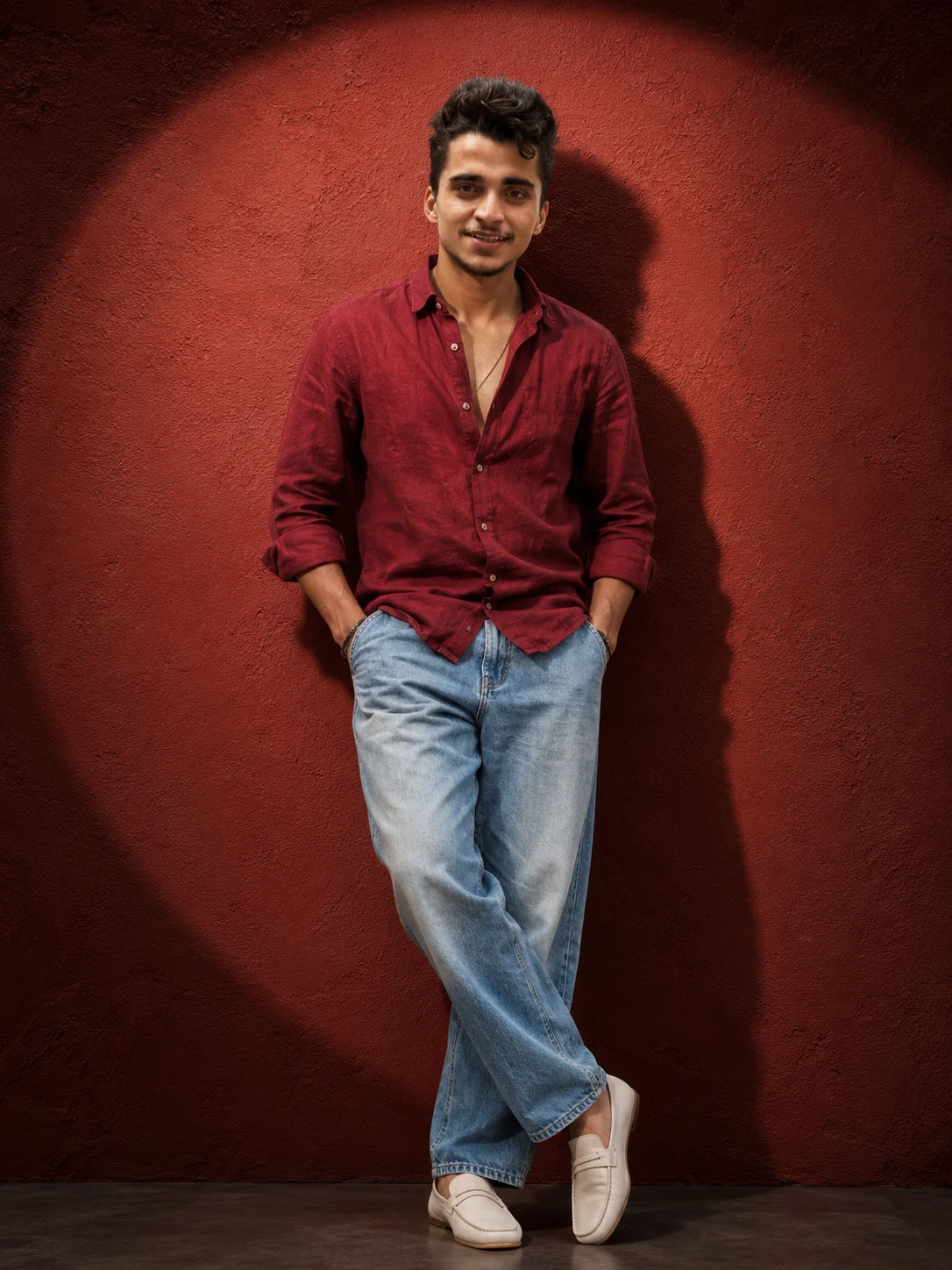
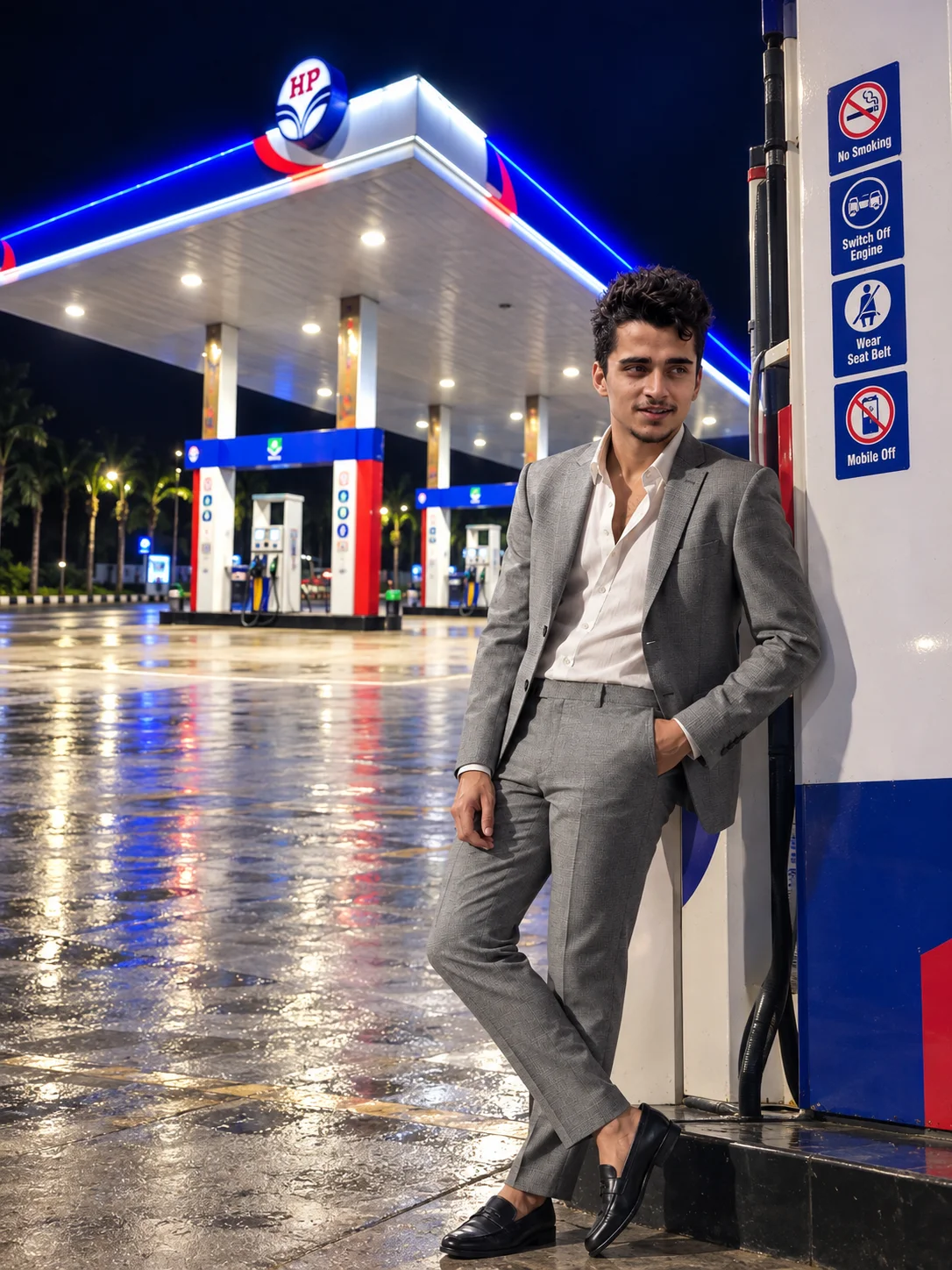
The Red Editorial: Viral Crimson Spotlight Studio Portrait
Give your social media grid a premium luxury fashion upgrade! This newly trending AI prompt lets you generate a high-end, studio-quality editorial fashion cover right inside your image generator. The composition features a confident young man standing centered against a dark crimson red textured matte wall. Adopting a relaxed cross-legged stance with both hands casually in his pockets, he delivers a calm, self-assured expression directly into the camera lens. He is styled in a relaxed-fit deep burgundy linen shirt (with buttons partially open and sleeves rolled up) paired with light-wash wide-leg denim jeans and off-white minimal slip-on loafers. It is the absolute #1 layout for a viral Instagram transformation reel cover, WhatsApp DP, or a high-end creator portfolio asset.
The scene uses a sophisticated single-spotlight editorial setup, casting a large, warm circular light circle right behind the subject. This creates a powerful cinematic contrast with natural hard shadows falling on the wall, emphasizing real skin pores, beard textures, and premium linen fabric folds with studio realism.
Make It Your Own (Super Easy AI Tweaks):
Bhai, you can easily change a few words in the prompt to try different variations:
-
The Color Theme: Change the background from "Dark Crimson Red" to "Deep Emerald Green" or "Royal Navy Blue" along with a matching shirt for a brand new color palette.
-
The Text Overlay: Ask the AI tool to overlay thin, clean aesthetic text like "WINTER COLLECTION" or your website name at the bottom corner for a magazine style finish.
-
The Outfit Switch: Swap the "linen casual shirt" for a "heavy black turtlneck" or a "tailored blazer jacket" to shift from casual-smart to high-fashion look.
-
The Lighting Shift: Change the "single spotlight" to "moody cyberpunk neon rim lights" if you want a nightlife party vibe instead of a clean studio look.
✨ How to Use This AI Prompt:
- Step 1 - Copy: Click the Copy Prompt button above to get the magic text.
- Step 2 - Upload (Optional): Open your AI tool (like Bing, ChatGPT or Gemini AI) and upload your clear photo if you want the AI to use your face.
- Step 3 - Paste: Paste the prompt in the chatbox along with your uploaded photo.
- Step 4 - Generate: Hit enter and watch the AI create your stunning Viral portrait!
AI Prompt
project_name": "Cinematic_Red_Wall_Fashion_Portrait",
"version": "1.0",
"output_type": "Ultra Realistic AI Image Generation",
"aspect_ratio": "3:4",
"resolution": "8K",
"style": {
"genre": "Fashion Editorial Photography",
"mood": "Confident, Masculine, Minimalistic",
"quality": "Ultra Photorealistic",
"detail_level": "Maximum",
"instagram_ready": true,
"color_grading": "Warm Cinematic Reds"
},
"subject": {
"gender": "Male",
"age_range": "20-30",
"expression": "Calm, confident, slightly serious",
"eye_contact": "Directly towards camera",
"body_language": "Relaxed and self-assured",
"skin_texture": "Natural realistic skin pores",
"hair": "Neatly styled textured hair",
"facial_hair": "Light beard and mustache",
"identity_preservation": true
},
"pose": {
"position": "Standing against wall",
"stance": "Relaxed cross-leg pose",
"legs": {
"left_leg": "Supporting body weight",
"right_leg": "Crossed naturally in front"
},
"hands": {
"left_hand": "Inside pocket",
"right_hand": "Inside pocket"
},
"shoulders": "Relaxed",
"head_tilt": "Slight natural tilt",
"camera_facing": true
},
"wardrobe": {
"shirt": {
"type": "Linen casual shirt",
"color": "Deep Burgundy Red",
"fit": "Relaxed fit",
"buttons": "Partially open",
"sleeves": "Rolled up to forearm",
"fabric_texture": "Premium linen"
},
"pants": {
"type": "Wide-leg denim jeans",
"color": "Light blue wash",
"fit": "Relaxed straight fit"
},
"footwear": {
"type": "Minimal slip-on loafers",
"color": "Off-white"
},
"accessories": {
"neck_chain": {
"type": "Thin gold chain",
"visibility": "Subtle"
}
}
},
"environment": {
"location": "Studio setup",
"background": {
"type": "Textured matte wall",
"color": "Dark Crimson Red",
"texture": "Subtle plaster texture"
},
"floor": {
"visibility": "Minimal"
}
},
"lighting": {
"style": "Single Spotlight Editorial",
"key_light": {
"position": "Front upper left",
"intensity": "Strong"
},
"spotlight": {
"shape": "Large circular spotlight",
"placement": "Centered behind subject",
"color_temperature": "Warm"
},
"shadow": {
"type": "Natural hard shadow",
"direction": "Right side wall",
"realism": "High"
},
"contrast": "Medium High",
"highlights": "Controlled",
"ambient_light": "Low"
},
"camera": {
"camera_type": "Sony A7R V",
"lens": "85mm f/1.8",
"angle": "Eye level",
"framing": "Full body portrait",
"focus": "Subject face",
"depth_of_field": "Shallow",
"sharpness": "Ultra Sharp"
},
"composition": {
"subject_alignment": "Center",
"negative_space": "Balanced",
"symmetry": "Moderate",
"editorial_framing": true,
"instagram_post_composition": true
},
"render_quality": {
"photorealism": "Maximum",
"skin_detail": "Ultra Detailed",
"fabric_detail": "Ultra Detailed",
"shadow_accuracy": "Physically Accurate",
"lighting_realism": "Professional Studio Quality",
"dynamic_range": "HDR",
"noise": "None",
"artifacts": "None"
},
"post_processing": {
"color_correction": true,
"cinematic_tone": true,
"skin_retouching": "Natural",
"clarity": "High",
"texture_enhancement": true,
"vignette": "Subtle"
},
"negative_prompt": {
"avoid": [
"extra fingers",
"extra limbs",
"deformed hands",
"blurry face",
"cartoon style",
"anime style",
"overexposed lighting",
"oversaturated colors",
"double shadow",
"bad anatomy",
"cropped feet",
"distorted body",
"watermark",
"text",
"logo",
"username",
"instagram interface",
"social media icons",
"caption",
"low quality",
"noise",
"motion blur"
]
}
}
.webp)