Welcome 2027 The End Incoming Call VN Template Code | 2026 Year-End Edit
ADVERTISEMENT
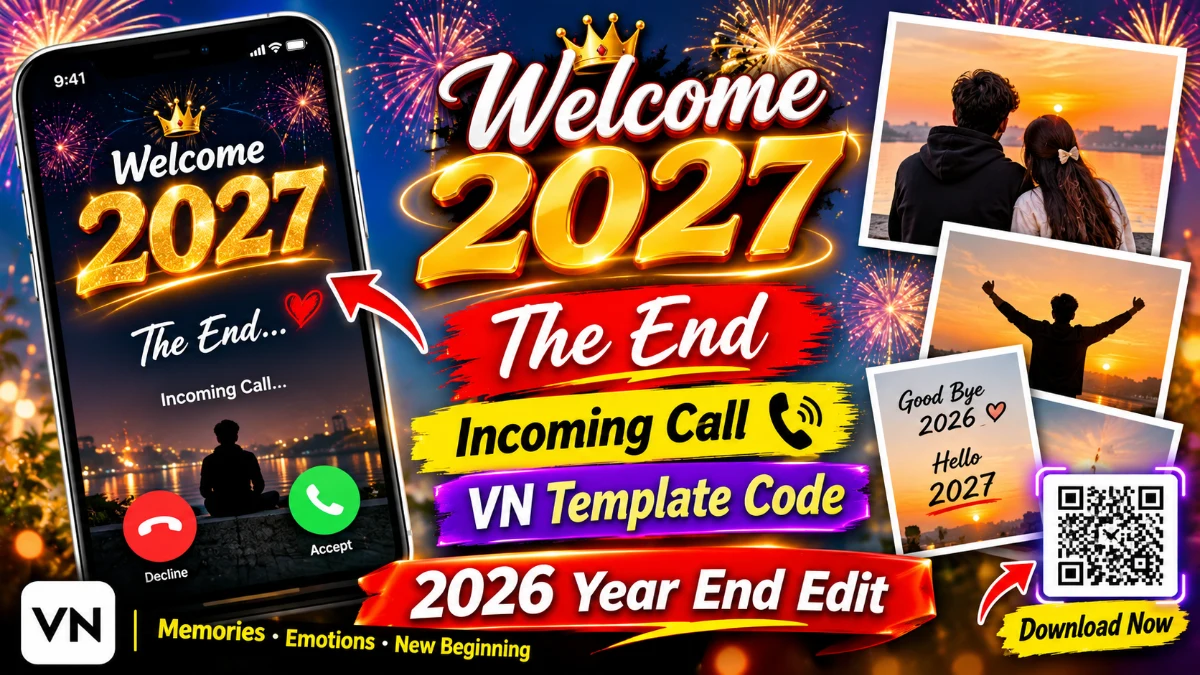
Every year-end, social media feeds shift from loud party clips to quieter, nostalgia-heavy edits that look back on favorite memories. Right now, the Welcome 2027 "The End" Incoming Call VN Template is gaining traction across Instagram Reels because of how cleverly it layers three different visual stories into a single frame.
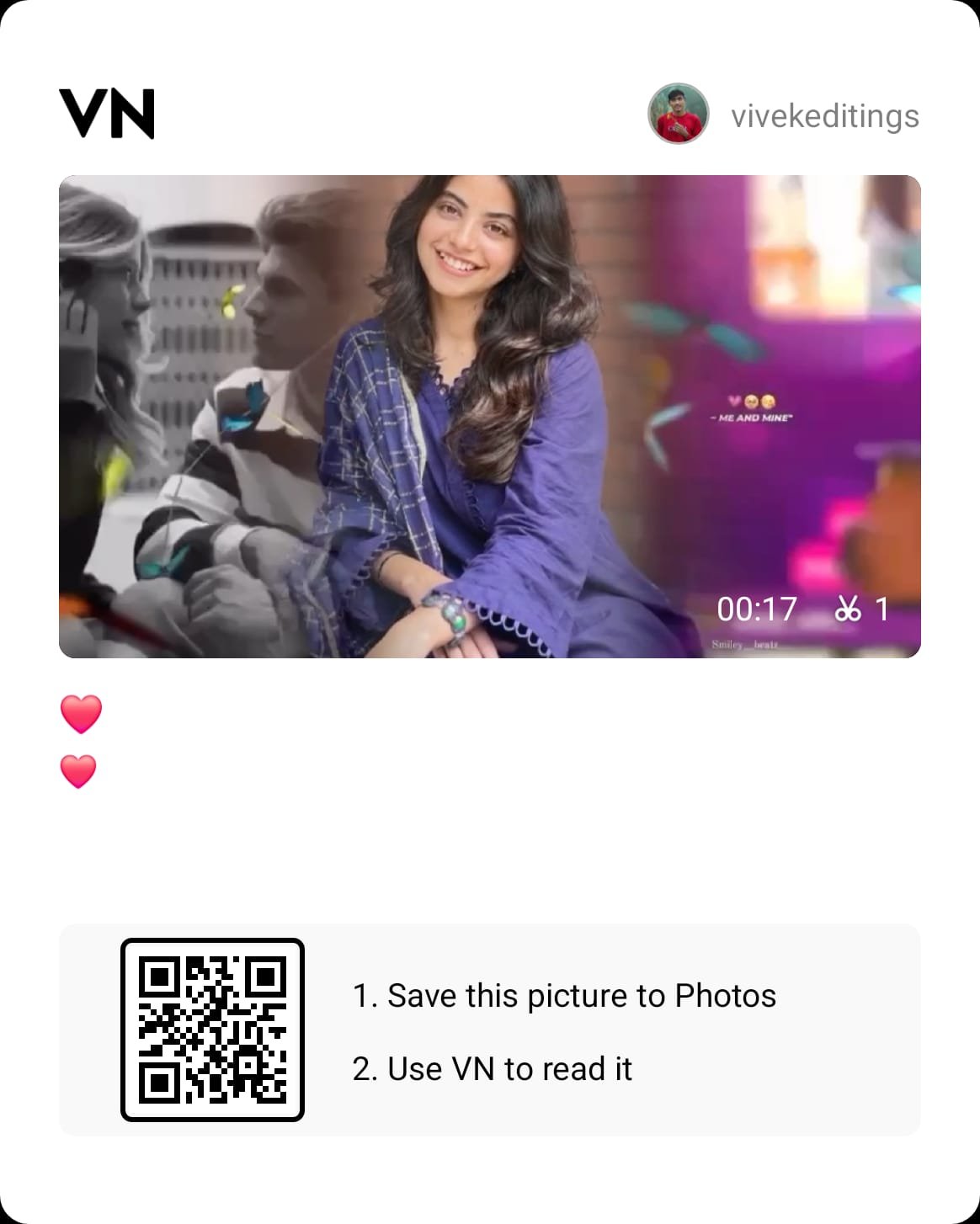
Instead of a standard slideshow where photos simply swipe past one after another, this layout opens on a stark black screen. A vertical light beam splits the frame while an incoming call notification banner reading "Well Come 2027" drops down above glowing "THE END" typography. Once the call graphic clears, the main composition reveals a split background: the left half plays monochrome, fast-cut candid moments in black and white, while the right half shows a blurred, warm magenta chat screen scrolling upward—keeping a sharp, full-color portrait centered right in the foreground. Today on vnqrcodes.in, we are sharing the verified QR preset along with practical tips so your year-end reel looks crisp and well-aligned.
What Makes This Layout Stand Out Visually?
Most year-end templates rely on fast zoom cuts that feel repetitive after a few seconds. This edit holds attention because each layer serves a distinct purpose:
The Incoming Call Opener: The iPhone-style call banner ("Well Come 2027") paired with red decline and green accept icons creates an immediate pause-and-watch hook in the first two seconds.
Three-Layer Depth: Having a crisp color portrait anchored in the middle separates your main subject from the moving background, so the fast black-and-white clips on the left never feel chaotic.
Subtle Butterfly Particle Overlays: Soft bokeh butterflies drift across the transition point, smoothing out the jump between the black intro screen and the main photo frame.
Emotional Pacing: The monochrome background clips cycle through candid moments at a steady rhythm, making it ideal for relationship recaps, friendship highlights, or personal milestones from 2026.
Quick Tip from vnqrcodes.in: Pick a waist-up or seated portrait in solid dark tones (like navy blue or black) for the center slot! Clean dark outfits stand out sharply against both the greyscale background loop and the warm pink chat blur.
How to Apply This Preset in VN Video Editor
If you want to build this edit on your phone without manually masking three separate video layers, follow these steps:
Save the high-resolution QR code graphic below directly to your phone's photo gallery.
Open VN Video Editor and tap the Scan icon at the top right of the home screen.
Choose the saved QR image from your gallery so VN can load the project timeline.
Tap Use Template, place your sharpest portrait into the primary center slot, and fill the remaining slots with candid clips or photos for the monochrome background loop.
Preview the audio sync on the incoming call drop, then export at 1080p / 60fps so the scrolling background text and butterfly particles stay crisp.
Frequently Asked Questions (FAQs)
Q1. Is the Welcome 2027 Incoming Call VN QR code free to download?
Yes, this preset and all editing resources shared on vnqrcodes.in are completely free to use without any hidden paywalls.
Q2. How many photos or video clips do I need for this template?
You need 1 sharp main portrait for the center foreground slot, plus 5 to 8 candid photos or short clips to fill the fast-moving monochrome background sequence on the left.
Q3. Why does my center photo look slightly cut off or off-center?
Because the template uses a split background, wide landscape photos can look misaligned. After importing your main portrait, tap that clip in the VN timeline, select Crop/Transform, and pinch-zoom slightly so your subject sits right over the center dividing line.
Q4. What should I do if the VN app fails to scan the QR code from my gallery?
Open the downloaded QR image in your phone's gallery editor, crop away any extra screen edges around the black-and-white square, and ensure your VN Video Editor app is updated to the latest version before scanning again.
Wrapping Up
If you want to close out 2026 with a nostalgic, layered memory reel rather than a basic photo slideshow, this Welcome 2027 Incoming Call edit is one of the cleanest presets you can use. Save the code from vnqrcodes.in, drop in your favorite candid moments, and share your year-end story on Instagram Reels! For more trending edits and seasonal presets, explore our VN QR Code Template List and check the Viral VN Codes page for daily additions.
ADVERTISEMENT
🔥 Trending for You
Imagination Love Instagram Viral Trend | Free Google Flow AI Video Prompt & Guide
6 Best Chhath Puja AI Photo Editing Prompts 2026 (Girls, Boys & Couple Prompts)
Chhath Puja Mahaparv VN QR Codes Download 2026
Top 5 Best Phones Under ₹15,000 for VN Video Editing & 4K Reels (2026 Tested)
Wishing You a Very Happy Diwali VN QR Codes Download 2026