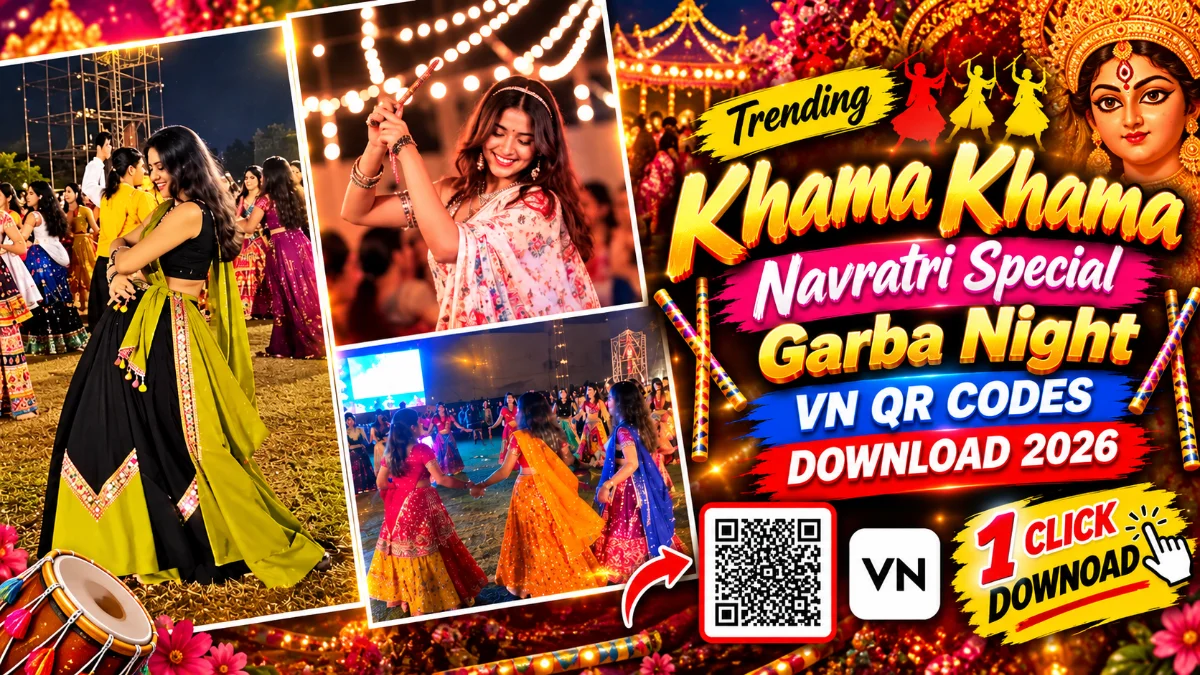
Instagram Profile Cleaning & Puja Trend AI Video Prompt 2026
ADVERTISEMENT
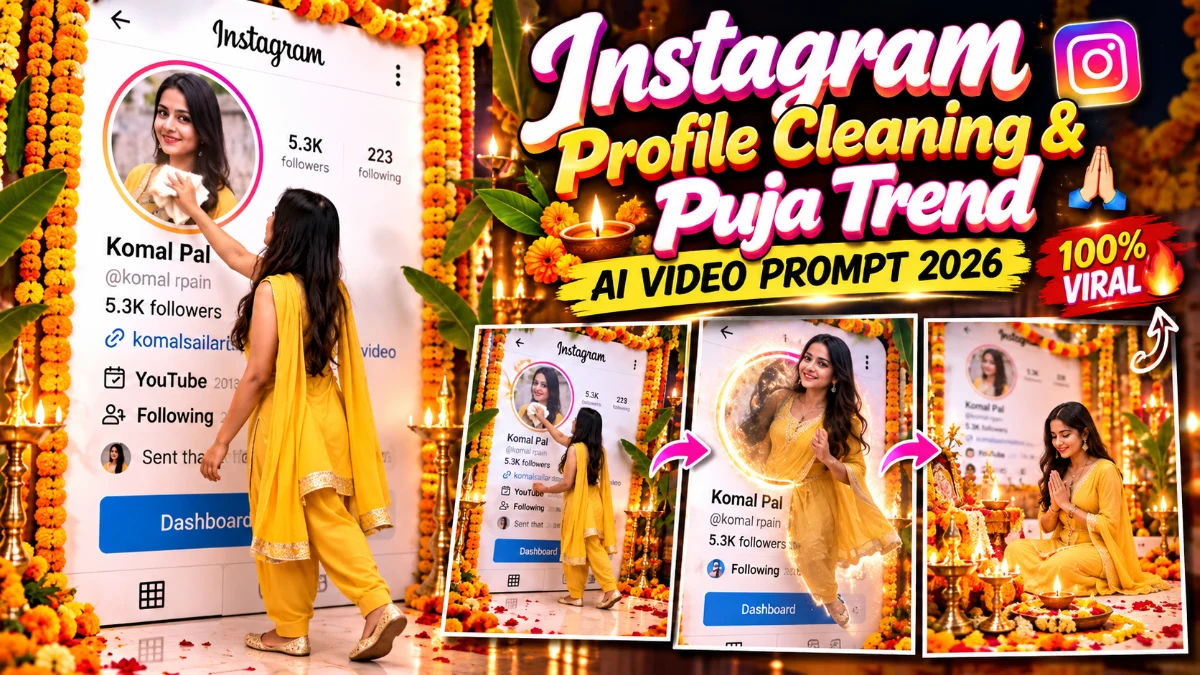
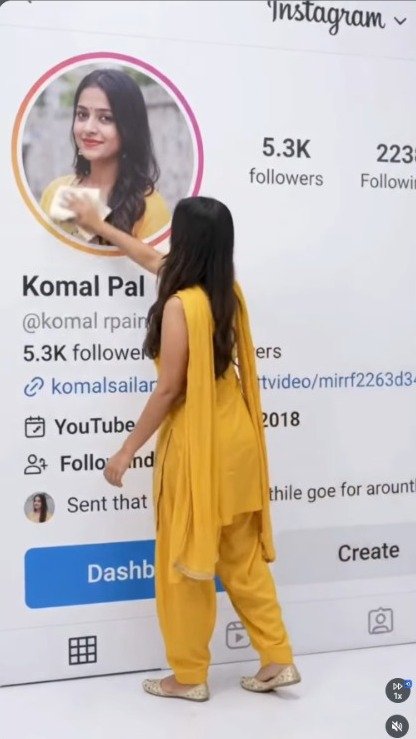
If you have been active on Instagram Reels lately, you must have seen the creative and aesthetic Instagram Profile Cleaning & Festive Puja AI Video Trend. The video starts with a clever visual concept: a 3D giant cutout of an Instagram profile page stands on screen, and the person jumps right out of their profile picture into the real room. They pick up a white cloth to clean the profile board, hang vibrant orange marigold garlands over the dashboard, and transition smoothly into an illuminated festive puja setting complete with glowing clay diyas, floral rangoli, and traditional ethnic wear. Creating this complex multi-stage scene with traditional keyframing, motion tracking, and compositing takes endless hours of VFX effort. By using Google Flow AI video generation tools along with targeted prompts, creators can now produce this entire cinematic concept in minutes. Today on vnqrcodes.in, we are providing tested, copy-ready AI video prompts and the step-by-step creation workflow so you can make your own viral version effortlessly.
Our team tested this specific prompt sequence across generative AI engines to ensure the character's facial resemblance stays intact, the cloth cleaning motion looks natural, and the festive lighting feels realistic. What makes this concept perform exceptionally well on social media algorithms is the natural progression from a modern digital profile gimmick to a warm, traditional festive celebration. It combines novelty with festival sentiments, giving viewers a strong reason to watch until the final second. By using the verified workflow below from vnqrcodes.in, you can export a crisp, watermark-free vertical reel ready to grab attention across Instagram Reels and YouTube Shorts.
Why Is This Instagram Profile Cleaning & Puja Trend Going Viral?
Instead of spending hours manually masking Photoshop cutouts and trying to align green screen camera angles, using dedicated generative AI prompts gives you an automated, studio-grade video:
3D Profile Jump Interaction: Features an eye-catching visual of the subject stepping directly out of their Instagram profile avatar into reality.
Natural Interactive Gestures: Includes realistic movements such as wiping the dashboard clean with a cloth and hanging marigold flower garlands.
Seamless Festive Atmosphere: Naturally shifts the scene from a bright modern room into a warm, diya-lit Diwali or festival puja background.
Authentic Traditional Attire: Renders detailed Indian festive wear, such as yellow or red embroidered ethnic suits, elegant jewelry, and footwear.
High Viewer Retention: The curiosity of watching someone clean and decorate their own digital profile keeps viewers engaged throughout the clip.
9:16 Vertical Optimization: Formatted specifically for smartphone displays to ensure crisp full-screen playback on social media feeds.
Quick Tip for Best Results from vnqrcodes.in: Before generating your video, take a clear, high-resolution screenshot of your Instagram profile with your username and profile picture clearly visible! Using a clean screenshot helps the AI keep your profile details sharp and believable.
See How Your Video Looks After Editing! 👇
ADVERTISEMENT
Ready-to-Use Instagram Profile Cleaning AI Video Prompts
Copy either of these tested prompts into your AI video tool depending on your preferred character style:
Prompt 1:
AI PROMPTUse the provided Instagram profile screenshot as the exact starting frame. The real character shown in the profile picture comes alive inside the circular DP, climbs out of the profile photo, and physically steps onto the Instagram screen, becoming a tiny, photorealistic miniature version of himself.
ACTION SEQUENCE — FOLLOW THIS ORDER EXACTLY:
Step 1: Climb out of the DP. The character visibly emerges from INSIDE the circular profile picture, crosses the circular boundary, and carefully steps onto the Instagram interface. Keep his face, hairstyle, outfit, body build, and identity consistent with the original character.
Step 2: Clean the follower count FIRST. The miniature character walks toward the follower count beside the profile picture. He takes a small cleaning cloth out of his pocket, unfolds it naturally, and carefully wipes away the existing follower NUMBER only. Make sure he cleans the actual number above the word “followers,” NOT the bio. The number disappears completely, leaving a clean blank space. Keep the word “followers” unchanged.
Step 3: Clean the bio SECOND. After finishing the follower count, he moves down to the bio text below the profile statistics. Using the same cloth, he carefully wipes away the bio text until it disappears. Do not clean any other text or profile elements.
Step 4: Final pose. After cleaning both areas, he lowers the cloth, steps beside the profile information, and stands confidently facing the camera. He does not write anything or replace any text.
CAMERA AND MOVEMENT: One continuous, seamless take. Start with the full original screenshot. Keep the camera locked and stable, with no camera movement, no zoom, and no sudden reframing. All movement comes from the miniature character. His walking, reaching, unfolding the cloth, wiping, and final pose must be smooth, natural, and physically believable.
REALISM AND CHARACTER CONSISTENCY: Photorealistic miniature human, natural anatomy, realistic body weight and proportions, accurate facial identity, natural hand movements, believable cloth-to-screen contact, realistic shadows, consistent lighting, and correct perspective. Keep the character’s original body build; do not make him look skinny, stretched, or distorted.
STRICT RULES:
Clean the follower number FIRST.
Clean the bio SECOND.
Use the cloth to wipe both areas.
Do not use a marker.
Do not write a new number or replacement text.
Do not accidentally wipe the word “followers” or any other profile elements.
Preserve the username, profile picture, buttons, highlights, and post thumbnails.
No cuts, no transitions, no motion graphics, no artificial overlays, no duplicated character, no flickering, and no body morphing.
The final result should look like a real miniature version of the original person climbing out of his own Instagram DP and physically cleaning the follower count first and the bio second in one smooth, uninterrupted shot.
Prompt 2:
AI PROMPTUse the final frame of the first video as the exact starting frame. Continue seamlessly with the same miniature man standing beside his Instagram profile.
SCENE 2 — AYUDHA POOJA DECORATION AND AARTI
STEP 1 — DECORATE THE PROFILE: The miniature man picks up fresh orange and yellow marigold garlands mixed with white jasmine flowers. He carefully hangs the garlands across the TOP and SIDES of the large Instagram profile in the background. He uses both hands to arrange the flowers neatly around the profile frame, making it look like a beautifully decorated Ayudha Pooja shrine. He does NOT put any garland around his own neck.
STEP 2 — DECORATE THE FLOOR: He walks to the bottom of the Instagram profile and decorates the floor with colorful flower garlands and loose flower petals. He carefully arranges the flowers around the base of the profile and places traditional glowing brass oil lamps on both sides. All decorations are placed through realistic physical movements.
STEP 3 — PICK UP THE WHITE PUMPKIN: After finishing the decorations, he picks up a white pumpkin with both hands. A tiny piece of burning camphor rests on top, producing a natural golden flame and delicate smoke. He holds the pumpkin securely at chest height and faces the decorated Instagram profile.
STEP 4 — PERFORM AARTI: He respectfully performs aarti in front of the fully decorated Instagram profile, moving the pumpkin in gentle, controlled circular motions. The camphor flame flickers naturally, and thin smoke rises softly. His expression is calm and devotional.
CAMERA: Continue from the previous video’s exact ending position. Use one continuous, smooth cinematic take with gentle, stabilized camera movement. Keep the man and the Instagram profile visible. No sudden zooms, shaking, abrupt reframing, or cuts.
REALISM: Maintain the original face, hairstyle, brown shirt, beige cargo pants, white sneakers, and natural body build. Realistic hands, natural walking, believable flower placement, accurate shadows, realistic fire and smoke, and consistent lighting.
STRICT RULES: The man decorates ONLY the Instagram profile and the floor with flower garlands. He NEVER wears a garland himself. He does not put flowers around his neck. The white pumpkin is used only for performing aarti in front of the decorated profile. Do not change the Instagram interface or character identity. No teleportation, no sudden appearance of objects, no duplicated limbs, no artificial overlays, and no motion graphics.
FINAL FRAME: The Instagram profile is richly decorated with flower garlands, the floor is covered with colorful flowers, brass lamps glow warmly, and the man performs aarti with the white pumpkin and burning camphor in front of the completed Ayudha Pooja setup.
Step-by-Step Guide: How to Create the AI Video in Google Flow
Creating this viral transformation video using Google Flow is simple. You can generate it quickly using the direct reference method:
Open Google Flow on your mobile browser or computer desktop.
Select the vertical 9:16 aspect ratio suitable for Instagram Reels.
In the reference image section, upload a clean screenshot of your Instagram Profile along with your front-facing portrait photo.
Copy the tested prompt from above and paste it into the prompt input box.
Keep motion intensity at medium to maintain steady facial features and accurate hands during the cleaning sequence.
Click Generate and allow the AI engine to render the continuous animation.
Download your generated high-definition video to your device gallery.
How to Add Trending Audio in VN Video Editor
Once your video is generated, adding the right festival background music completes the reel:
Open the VN Video Editor app on your smartphone.
Create a New Project and import your downloaded AI video clip.
Tap Music and add a trending soft instrumental or devotional flute/shehnai track that matches the festive mood.
Trim or align the audio so that the main beat or melody drop coincides with the moment the character sits down by the rangoli and diyas.
Export your finished video in 1080p resolution at 60FPS for crystal-clear clarity.
What is an AI Video Prompt?
An AI video prompt is a descriptive textual instruction that guides machine learning models to generate realistic motion, dynamic transitions, and environmental lighting. Instead of manually editing layers or shooting footage with physical cameras, creators describe character actions, props, camera movements, and stylistic settings. Every prompt shared on vnqrcodes.in is personally tested across generation engines to confirm fluid motion, low visual distortion, and high viral potential.
Frequently Asked Questions (FAQs)
Q1. Are these Instagram Profile Jump AI video prompts free to use?
Yes, all prompts and workflows published on vnqrcodes.in are 100% free for everyone to access and use.
Q2. Which AI platform works best for the profile jump effect?
Google Flow, Kling AI, and Luma Dream Machine provide the best character consistency and smooth hand gestures for the cleaning and decorating steps.
Q3. How can I ensure my face matches properly in the output?
Upload a well-lit, sharp portrait photo where your face is clearly visible without heavy shadows or dark sunglasses.
Q4. Can I customize the festival theme to Diwali or Navratri?
Yes, you can easily tweak the prompt text to add specific festival elements like clay diyas, fireworks, or dandiya sticks according to your preference.
Conclusion
If you are looking for a unique, trend-worthy reel idea that blends social media culture with warm festive traditions, the Instagram Profile Jump & Puja concept is an outstanding choice. Simply copy the tested prompts from vnqrcodes.in, create your video using Google Flow, sync your favorite festive soundtrack in VN Video Editor, and share your creation on Instagram and Threads! To discover more viral reels templates, creative AI prompts, and step-by-step editing guides, explore our complete VN QR Code Template List and check out the Viral VN Codes page daily!
ADVERTISEMENT
🔥 Trending for You
Dussehra Mela Vibes VN QR Codes Download 2026 | Trending Festival Vn Template
Kon Hai Ye Jaat VN QR Codes Download 2026 | Trending Attitude Template
Viral Instagram Bulin 47 Rap AI Video Prompt 2026 | Google Flow Tutorial
Couple Dandiya Night VN QR Codes Download 2026 | Navratri Special
Dandiya & Garba Night Multi Grid VN QR Codes Free Download 2026